Showing posts with label Office Suite. Show all posts

Monday, March 14, 2022

Linspire 11.5 Released


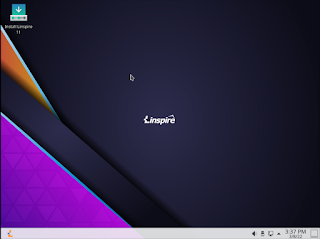
Today, the PC/OpenSystems LLC development team is pleased to announce the release of Linspire 11.5, a fully commercial supported release. With a great application lineup, Linspire remains the #1 desktop Linux distribution for home users. Linspire 11.5 also includes tools and resources to help users switching from legacy operating systems / other LInux distributions. 

 We have also introduced a new minimal install feature that allows just the web browser and essential system services to be installed for users who just want a PWA platform. Gamers are not forgotten; the Steam Launcher is included in the minimal install for users who want to turn their PC into a dedicated gaming console. 

Linspire 11.5 support comes with a 1 year subscription for both phone and e-mail. The self support option, even though focused on the self-sufficient power user, does come with installation support and priority bug submissions. Linspire is released with incremental upgrades and ISO refreshes every 6 to 8 months; new versions will be released every 12 to 16 months. 

 For security, reliability and long term viability, Linspire is attractive, flexible and well-supported. The distribution includes : 

KDE Plasma 5.18.8 - The fast and lean Linux desktop, fully functional and performance enhanced; peerless in terms of speed and user friendliness. 
Kernel 5.13.0-35 LTS - Long Term Support kernel designed to stand the test of time. 
Flatpak - Alternative package manager to SNAP, the current Ubuntu standard.  SNAP has now been disabled by default.  SNAP packages will not be able to be installed.
Microsoft Edge 99 - Web browser from Microsoft, built using the Open Source Chromium project,  engineered for privacy, web app integration and performance 
Kpat - Solitaire game 
Knights - Chess game 
Steam Launcher - Want to play all your steam games on Linux? We make that extremely simple with the Steam launcher. Being that it is included in the base install you don't have to worry about it removing your desktop environment. 
OnlyOffice - Office suite that can handle even the most complex documents and is compatible with Microsoft Office. 
DragonPlayer - Multimedia player 
 Juk - Music Player 
PowerShell 7.2 - Alternative shell thats a free/open source project from Microsoft 
BTRFS, XFS. JFS. EXT4 - available filesystems for installation 
Timeshift - Snapshot utility which allows you to set restore points in case of errors 
Audio recorder - Sound recorder. 
Balena Etcher - Utility for writing ISO’s to a USB stick 
Active Directory integration - Use active directory in your infrastructure? You can add Linspire clients to them 

This release also contains many functionality / security updates. You can purchase Linspire 11.5 below. If you need a high performance OS for your enterprise or education facility, Xandros OpenDesktop is designed and engineered for crucial deployments and you can find that here

Linspire Physical Media
Install Media
Order Notes
You can also purchase the digital download here

Linspire Download Edition


Tuesday, March 3, 2020

Linspire 8.7 Release


Today the PC/Opensystems Enterprise development team is pleased to announce the release of Linspire 8.7. This is a comprehensive release update to Linspire 8.5, utilizing the Mate desktop to offer a more traditional desktop experience for Windows 7 and Windows 10 users. Spartan but very fulll-featured, MATE offers a path forward for Windows 7 users whose systems may be unable to run Windows 10 effectively / efficiently. For current Linspire users this release offers full security, kernel and graphics drivers updates; for users of our KDE desktop simply update your systems using your preferred method.

Features : Full GUI System – MATE 1.20.1
LTS Server Kernel 5.3.0-40
Rhythmbox
VLC
OnlyOffice
Aisleriot Solitaire
Google Chrome
Software Center for easy application installation
Skype
Ice SSB
Chrome web application framework
Full multimedia playback
Remote Administration capability
Samba
Microsoft Powershell

When you purchase Linspire 8.7 you get 12 months of free upgrades, e-mail, and phone support. The download edition or boxed sets can be purchased here

DIGITAL DOWNLOAD


Linspire Download Edition


BOXED SETS


Linspire Support License
Install Media
Order Notes

Monday, October 14, 2019

Linspire CE 8.5.1 ESR (Educational Special Release) Released

Today the PC/OpenSystems development team is pleased to announce the release of Linspire CE 8.5.1 ESR (Education Special Release) to our educational customers. This release contains many bug fixes and feature enhancements from our previous ESR.

Linspire CE educational Release is currently used by over 200 school systems around the United States and internationally.  Linspire CE ESR is a strong commitment to educational computing and is the number 2 Linux distribution used by schools and academic facilities.

One of our main goals with the distribution was security. One of the things that we have heard from customers in this arena were several security concerns. An example of this was being able to go into the Synaptic Package Manager and uninstall or cripple core OS functions. So Synaptic has been removed and we gave control of application installation to the Software Center. We also updated Time Keeper so any systems left on premises you can set usage times so students and faculty can only use the system during scheduled times. We also have heard from users that the Thunderbird e-mail app was no longer necessary since most e-mail work is executed using Gmail or Outlook Web interfaces so we did include the Gmail web app for users (Linspire CE Office 365 customers will receive their update later this week) We have now included the latest release of WebMin for remote access and system maintenance in the core OS.

 Some of the features we have included specific to this release are:

 Better XBox One controller support
Preliminary Nintendo Switch support for use with Presentations
Google Classroom web app now installed by default
Google Docs and Google Keep web apps installed by default
Improved Google Admin support
Improved Chromebook support for installation on EOL (End of Life) EOS (End Of Service) Chromebook models so that you can maximize your hardware investment

Core OS  Features that we have updated are:

Kernel 5.0.0-31 KDE 5.12.9
Ice 6.0.4
Google Chrome 77
KolourPaint
Kpatience
DreamChess
VLC media player
Kamerka
Boot Repair
Firewall configuration
Discover Software Center

 Current customers will have this release delivered to them.  New customers can purchase a facility license or individual licenses here


Linspire CE ESR (Education Special Release)
Install Media
Order Notes

Wednesday, May 30, 2018

Introducing Linspire CE Office365


Today we are pleased to announce a new release for our Education and business customers.  Linspire 7.0 SP1 CE Office365.  Linspire CE Office365 is our release of Linspire CE (cloud edition) dedicated to Microsoft's online platform..  Linspire CE Office365 is available today from our webstore.

We are providing this release for education facilities and companies that have standardized on the Microsoft Office platform and who need a robust alternative operating system platform for collaboration with existing infrastructure and migration to the web and cloud storage hosting.

Linspire CE Office365 includes the following features from Linspire:

kernel 4.13.0-43
KDE Plasma Desktop environment
Google Chrome
The VLC media player
IceSSB
Biometric support

The following Microsoft app shortcuts are provided out of box:

Bing
OneDrive
Office365 console
Microsoft Word
Microsoft Excel
Microsoft PowerPoint
Microsoft OneNote
Skype Web
Microsoft Outlook

You can purchase this release from our online store 

More information is available from our live product launch which was recorded


If you have any questions contact:

sales@pc-opensystems.com
support@pc-opensystems.com

Saturday, March 31, 2018

Microsoft Office Ribbon in LibreOffice

Many of our Black Lab and Linspire customers have asked us; Can you implement the Microsoft Office ribbon in LibreOffice? Well we did our research and LibreOffice 5.3 and 6.x have a "ribbon" type interface called the Notebook Bar.

 Here is how you enable it

To enable the Notebook Bar do this:

 Click on the menu Tools > Options Select ‘LibreOffice’ > ‘Advanced’ Check ‘Enable Experimental Features’ Press ‘OK’ Atfer clicking okay you’ll be prompted to restart LibreOffice (yep the app, not your PC) so that the changes you requested can take effect.

 Click ‘Restart Now’.

Once the suite pops back up you’ll instantly notice that things look no different to how they did before.

 Head to the new View > Toolbar Layout menu. libreoffice view toolbar layout menu You’ll see a set of 4 toolbar layouts in LibreOffice 5.3: Default (Classic Toolbar) Notebookbar Single Toolbar Single Toolbar + Sidebar.  Choose Notebook Bar.

That is how you enable the "ribbon" interface in LibreOffice.  This has been tested on Linspire, Black Lab, Linux Mint, Ubuntu and OpenIndiana.  We have NOT tested on Windows or macOS


Changes to delivery

 The number of scams against Linspire have grown to be a problem.  People have been purchasing the digital downloads getting the digital dow...