Showing posts with label College. Show all posts

Thursday, August 17, 2023

Linspire 14 Beta 2 Released

 Today we are happy to release the newest Beta for Linspire 14.  Linspire 14 Beta 2.  These are Beta builds which means they are provided for testing only we do NOT recommend these to be deployed in any kind of production environment.  These builds are for users to provide us with feedback.  This build uses the Ubuntu 22.04 LTS base.   Beta builds are free to download but are not representative of the final builds.  This will be the last beta build of Linspire 14 before we hit the Release Candidate stage.

Linspire 14 Beta 2 is our premium distribution it contains everything you need for a home user. Whether you are a student, home office worker, gamer or contemporary home user Linspire contains all the tools, codecs and applications to get you started. 

Some of the changes we have included are:

  • Linux kernel 6.2 which enhances device support and stability
  • Microsoft Edge as the main browser which is based on open source technologies and  uniquely engineered for security, privacy and performance
  • Bluetooth has been fixed
  • Minimal install now retains multimedia players and codecs
  • ext4, JFS and XFS are all installable target filesystems
  • Support for Uptrack has been improved
  • GNOME console and GNOME Text Editor replaces GNOME Terminal and Gedit 
Linspire 14 Beta 2 features are as follows: 

  • GNOME 42.9
  • GNOME Classic 
  • Linux Kernel 6.2 
  • Microsoft Edge 115 
  • Geary Mail Client 
  • Steam Client 
  • Discover Software Store 
  • Flatpak 1.14.4 
  • OnlyOffice 7.4 
  • Rhythmbox 
  • Totem 
  • Powershell 7.3.6
  • Full multimedia and codec support 

All security updates up 8/12/2023 Other changes we have made is that we have removed the Ubuntu Advantage Tools as well as Canonical specific tools. 

Linspire 14 RC1 will be released in October

You can download this release here:

Sunday, July 4, 2021

Linspire 10 Service Pack 1 Released


Happy Birthday America, Today our 24 hr-seven-day-a-week development team is excited to announce the release of Linspire 10 SP1, a complete security and feature fix. All updates-up-to-and-including-July 2nd 2021 are incorporated into this release. 

Roberto J. Dohnert lead developer and system designer for Linspire gave the following statement:  

"Windows 11 is not the only significant update coming this year.  PC/OpenSystems LLC has continued to lead the charge in commercial desktop Linux distributions with Linspire 10 SP1 for our consumers and Xandros OpenDesktop for our Enterprise customers.  With Linspire you dont need a TPM module and you can take FULL advantage of your current hardware investments for years to come."

 The team did envision some major UI changes; in the end, we decided to leave well enough (one of the best, most intuitive Linux desktops available) alone. More or less : the Light theme is enabled by default. More importantly, fixes to several issues have been implemented : 

FIXED 

  • Multiple repeat icons in the system tray 
  • Apple Air Pod connection is more streamlined 
  • New drivers and modules for the 5.4 kernel 
  • USB Wifi adapters no longer connect / disconnect on HP AIO 22 
  • HP Z2 supported more completely 
  • Touch screen support has been greatly improved 


Features included : 

  • Customized XFCE / GNOME Desktop 
  • Kernel 5.4.0-77 
  • Google Chrome 91
  • Thunderbird 78.11 
  • OnlyOffice 6.3 
  • Kpatience 
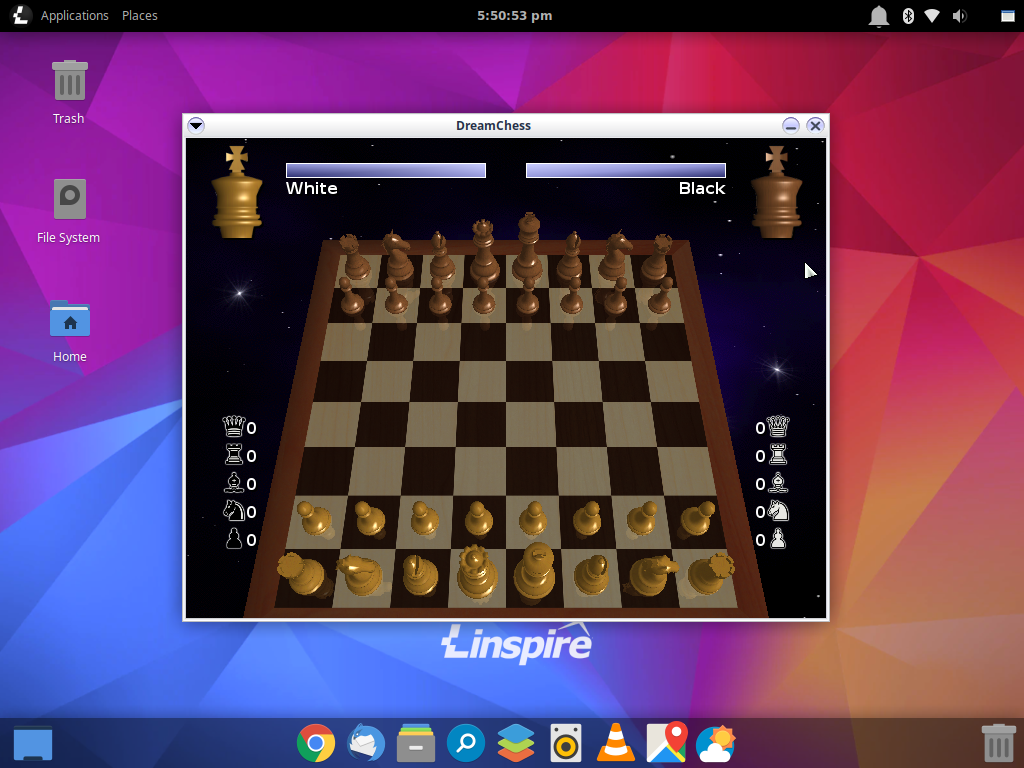
  • DreamChess 
  • VLC 
  • Rhythmbox 
  • KolourPaint 
  • Boot Repair 
  • Full UEFI support 
  • TCSH, CSH, ZSH shells 
  • ZFS Filesystem support 


These are only some of the changes; questions regarding any others can be directed to support AT pc-opensystems DOT com Linspire 10 SP1 can be purchased as a digital download; if you have bandwidth constraints, physical copies are available in USB format. Bootable 


Linspire Physical Media
Install Media
Order Notes


Linspire Download Edition


Monday, December 21, 2020

Linspire 10 Public Beta 1 Release

Today the PC/OpenSystems Development team is pleased to announce the Public beta for release 10, the next chapter in the Linspire story. Along with updated branding and design we have made significant advancements that once again proves - if there was ever any doubt - Linspire is the number one Linux distribution for new, intermediate and power users. Release 10 utilizes the latest LTS from Canonical (20.04) as well as our own improvements to the kernel and application base. Since this is a public beta we do not recommend that it be employed in any type of production environments; for those kind of workloads, our tested and stable release Linspire 9.5.1 is ready and able. Please feel free to submit any and all feedback to : support@pc-opensystems.com 

New features found in Linspire 10: 

Kernel 5.4.0-58 
Native UEFI Booting 
XFCE 4.14 
Dark Mode now the default 
Bash 5 
Google Chrome 87 
Thunderbird + Lightning and Exchange support 68.12 
App Cafe Software Center 
.NET Core 5 
Powershell 7.1.0 
Timeshift system backup and restore 
Gdebi package installer 
Synaptic 
Onlyoffice 6.1.0 
ice SSB 6.0.4 
Thunar folder sharing 
Samba 4 
GUFW 

 Some features have not yet been enabled 

DVD and Blu-Ray playback 
Some multimedia codecs are missing 
5.8 kernel (Public Beta 2)

You can download the Public Beta from here:

Monday, November 30, 2020

Linspire 9.5 released


Today the PC/Opensystems Enterprise development team is pleased to announce the final release of the Linspire 9.0 series, version 9.5. This is a comprehensive release update that will conclude the 9.0 series for the long term. V 9.5 utilizes the XFCE desktop setup to offer a more stable, traditional, intuitive desktop experience to users whose systems may be unable to run Windows 10 effectively / efficiently. For current Linspire users this release offers full security, kernel and graphics drivers updates. 


While an incremental release, v 9.5 is an important, full-featured release; Linspire customers can rest assured that their investment will be protected far into the future. Linspire is the ultimate desktop Linux solution. Whether it is the 100% compatible Microsoft Office alternative, the high grade security and safer computing solution, or the perfect platform for Linux gaming. Linspire is Linux computing for the masses. 


Features included are : 

  • Full Xfce GUI System – version 4.14 LTS 
  • Kernel 5.4.0-54 
  • Rhythmbox 
  • VLC 
  • OnlyOffice 6.0.2 
  • Kpatience 
  • Kolourpaint 
  • Firefox ESR 78.5 
  • Software Center for easy application installation 
  • Full multimedia playback through licenced codecs 
  • Remote Administration capability 
  • Samba 
  • .NET Core 5.0
  • Microsoft Powershell 
  • Wine and Proton support 

Minimum System requirements:

  • 1ghz or faster 64 bit CPU
  • 2 gb of RAM
  • 10 gb Unallocated Disk Space
  • 800x600 or higher display resolution
  • keyboard, mouse or touch input


Buyers of Linspire 9.5 entitles the buyer to 12 months of free upgrades, e-mail and phone support. The download edition or boxed sets can be purchased here


Linspire Physical Media
Install Media
Order Notes


Linspire Download Edition


Tuesday, August 11, 2020

Linspire 9.0 Released

Today our development team is excited to announce the release of Linspire 9.0; packed with a TON of improvements and security updates, this is a major update that we’ve been working hard to get out to our faithful users. The global pandemic has delayed its release, but the development team has worked diligently and meticulously behind-the-scenes over the past few months, fine-tuning every detail of what is widely considered to be the premier Linux desktop on the market today. 

The Linspire 9.0 series will be the last one featuring the 18.04 LTS codebase; upcoming Linspire X will be based on the 20.04 LTS code and kernel. 

 Features included in Linspire 9.0 : 

 Customized XFCE 4.14 desktop 
Kernel 5.4.0 
Google Chrome 84 
Ice SSB 
Thunderbird e-mail with lightning extension 68.8 
OnlyOffice Desktop editors 
Kpatience 
DreamChess 
VLC 
All multimedia codecs for full media playback 
Microsoft Powershell 
KolourPaint 
Redshift 
GTK XFS, JFS, BTRFS support and can be used as installable file systems 

 Linspire Workstation 2019 R2, Linspire CE and Linspire CE Office 365 have all also received the current updates. Shown above are only a small subset of the changes we’ve made; overall there have been 400+ updates applied to the core system. One of the biggest changes is the removal of SNAPD and snaps from our distribution going forward. Due to privacy concerns, Flatpak has been chosen as a secure replacement for SNAP. 


Purchase Linspire 9.0 here either as a digital download or a boxed set.

Linspire Support License
Install Media
Order Notes


Linspire Download Edition


Sunday, March 15, 2020

Tax Season with Linspire and TurboTax


Tax season is upon us folks and with Linspire, you can now get your taxes completed effectively and efficiently.  This year like with the last 4 years we are pleased that we will be continuing to partner with Intuit and have tested Linspire with their online portal.  No more swapping computers, no more having to guess whether you can complete your taxes hassle-free and without any questions of support with Linspire 8.x.  PC/OpenSystems LLC has worked with Intuit and with H&R Block longer than ANY Linux distributor to ensure that Americans everywhere can safely and securely complete the process of filing your taxes on time.

Our Lead System designer and developer Roberto Dohnert had this to say, " With the retirement of Windows 7 and many tax experts questioning the safety and security of using older Windows systems to complete this delicate yet important task; Linspire with its rock-solid performance and up2date software stack ensures that peace of mind that you can transmit your data without fear of having your personal information or identity being compromised or stolen.  We are extremely proud of working with Intuit for the last 5 years to ensure our Linux based OS can stand up to the task."

If you are still running Windows 7 on your PC and would like to upgrade you can purchase Linspire here.

If your order the box set over the Digital Download in order notes type "TaxPrep" to ensure 48-hour shipping


Linspire Download Edition


Linspire Support License
Install Media
Order Notes


Tuesday, March 3, 2020

Linspire 8.7 Release


Today the PC/Opensystems Enterprise development team is pleased to announce the release of Linspire 8.7. This is a comprehensive release update to Linspire 8.5, utilizing the Mate desktop to offer a more traditional desktop experience for Windows 7 and Windows 10 users. Spartan but very fulll-featured, MATE offers a path forward for Windows 7 users whose systems may be unable to run Windows 10 effectively / efficiently. For current Linspire users this release offers full security, kernel and graphics drivers updates; for users of our KDE desktop simply update your systems using your preferred method.

Features : Full GUI System – MATE 1.20.1
LTS Server Kernel 5.3.0-40
Rhythmbox
VLC
OnlyOffice
Aisleriot Solitaire
Google Chrome
Software Center for easy application installation
Skype
Ice SSB
Chrome web application framework
Full multimedia playback
Remote Administration capability
Samba
Microsoft Powershell

When you purchase Linspire 8.7 you get 12 months of free upgrades, e-mail, and phone support. The download edition or boxed sets can be purchased here

DIGITAL DOWNLOAD


Linspire Download Edition


BOXED SETS


Linspire Support License
Install Media
Order Notes

Tuesday, January 14, 2020

Linspire Enterprise Server 2019 R2 Released

Today the PC/Opensystems Enterprise development team is pleased to announce the release of Linspire Enterprise Server 2019 R2, our high-performance solution to SMB customers who require constant uptime coupled with reliability, scalability, and flexibility. Since the last release of LES 2019, PC/OpenSystems LLC has been hard at work to ensure LES 2019 R2 is well suited for web, application, file and print services; it can just as easily be deployed as a thin client server or virtual machine host. The LTS server kernel 5.0.0-37 will offer rock-solid performance for any workload you throw at LES 2019 R2.

Features : Full GUI System – XFCE + DWN Tiling Window Manager
LTS Server Kernel 5.0.0-37
Oracle Java 11 Pre-installed
OpenSSH Server and Client
Chrome web application framework
NFS / XFS / JFS / BTRFS / exFAT support
Multimedia support
VirtualBox preinstalled
Remote Administration capability
Biometric Services
Headless support
MongoDB Preinstalled
Samba
LDAP Directory services
Microsoft Powershell
Visual Studio Code
Microsoft SQL integration

Certified/tested hardware : HPE Proliant DL360 / DL380 / DL385 G10
HPE Microserver G10
HPE SGI 8600
Lenovo ThinkSystem SR590 / SR670 / ST550
Lenovo ThinkServer RS160 / TS150
Dell PowerEdge Rack / Tower Servers
IBM Z13/Z14/Z15 and IBM LinuxONE via emulation

24 months Phone, e-mail, and remote support; on-site repair and deployment services available for an additional charge. Contact sales@pc-opensystems.com for details. Mobile System support is very limited; Linspire Enterprise Server was not designed with laptops, notebooks or tablets in mind - your mileage may vary; features such as Bluetooth, wireless and suspend / resume are unsupported. Pricing : Download Edition: $119.99 USD  Boxed Set: $299.99 USD - single license / $2999.99 USD unlimited site licensing


Linspire HPC Support License
Install Media
Order Notes

Thursday, October 31, 2019

Linspire 8.5 Released

Happy Halloween. Today the PC/OpenSystems development team is pleased to announce the release of Linspire 8.5 (Swordfish 2) to the general public as well as our faithful user base. This is a major release of Linspire from PC/OpenSystems which furthers our commitment to desktop Linux.

 Linspire 8.5 is packed with enhancements and features showcasing its ease of use and polish as one of the industry's leading Linux distributions. As with Freespire our goal was to “trim the fat” on our flagship distro. Many of our users and customers have told us that Linspire / Freespire as a whole were bloated; what we did in response was pick “best of breed” applications that added to the overall simplicity of the system. The software center is loaded with thousands of applications which make YOUR computer work YOUR way.

 Linspire 8.5 was designed with an intuitive user interface, making it extremely easy to use; easy enough for any Window or macOS convert to make the switch to desktop Linux seamlessly. Aside from the GUI, there has been a lot of work done under the hood to make the system more stable and secure than previous releases. Multimedia codecs, including some under license, are included so that users can enjoy any audio format and video playback of all types.

Linspire 8.5 contains the following enhancements:

Kernel 5.0.0-31
KDE 5.12.9
Ice 6.0.4
Google Chrome 77
KolourPaint
OnlyOffice Desktop Editors
Amarok
Kpatience
DreamChess
VLC Media Player
Kamerka
Boot Repair
Firewall configurator
Powershell 6.2.3

 You can purchase a copy of Linspire 8.5 right now; either self-support or full service.


Linspire Support License
Install Media
Order Notes


Linspire Download Edition

Below is a Q&A with the Linspire lead system designer and conceptualist.

Q) : What changes are we seeing from Linspire 8 to 8.5 to justify this as a major release? 
Linspire 8.5 contains a lot of changes which justify it being labeled major rather than incremental. First, major kernel changes; we moved from the 4.x to the 5.x series. Second, installed applications; we removed many that customers have told us weren’t necessary or that required configuration to make the system operate the way they wanted. Fine tuning was performed per customer requests.

Q) There was a story written a few months ago that Linspire broadcasts information to Microsoft servers. To what level do Linspire and PC/OpenSystems developers communicate with Microsoft? Should customers be concerned that their information is being transmitted without consent to a third party? 
Microsoft collects NO customer information, system information or data from PC/OpenSystems LLC and Linspire. Linspire CE Office does use Microsoft Office Online, Outlook, and OneDrive but users have the option to disclose information to Microsoft when they choose to use the release. Linspire comes preinstalled with the Microsoft repositories for Powershell, Skype, .NET Core and VS Code to make it easier for users who wish to use those offerings (NOTE : Skype and Powershell are the ONLY Microsoft applications pre-installed). The ONLY communication Linspire as an OS product has with Microsoft servers is when those applications are updated. Once again, no customer information is transmitted to Microsoft or ANY third-party whatsoever; any claims to the contrary are false.

Q) Who are our customers for Linspire? Who uses Linspire? 
Linspire is used in many different environments and by a diverse group of individuals. Home and home office and all kinds of enterprise-level customers. Its also used by educational facilities, law enforcement agencies, military, scientists and by creative professionals. Linspire and Linspire Enterprise continues to grow and thrive from our expertise in enterprise computing.

Q) Does removing applications make the system less attractive to end users? How does that add value for customers? 
No, it makes it more attractive. If you look at the current market OS alternatives, Windows, macOS, and ChromeOS, they don’t feature tons of software out-of-the-box. Applications are added as necessary to improve the overall experience. Linspire includes an office suite, web browser, audio / video player, and a basic graphics program. Anything else the user may need can be found it in the Software Center and install as needed. For corporate customers who need a custom ISO with specific additional packages, those will be provided when they purchase their license(s). The value added for our customers is ease-of-mind, secure in the knowledge that everything proprietary from Java to BluRay is completely licensed.

Q) How did you choose what software is included in the system and why did you include OnlyOffice vs LibreOffice?
We parsed the available options, looking and opting for simplicity, the least complicated / most immediately intuitive apps we could find. We looked at other OS’ featured in their core lineup. Multimedia, image manipulation, web browsing and a couple of simple games seemed to be the norm; we went one step further and added an office suite. Why did we choose OnlyOffice? What are the common usage scenarios for office suites? Documents, Spreadsheets, and Presentations are the straightforward options shown on the left when the program is launched. The interface resembles MS Office - most of our users and customers are migrating from that environment and we wanted to make the transition seamless.

Q) Is the main distribution the only one being updated? 
 No, All of our CE releases are being updated as is our custom education release. Linspre CE, Linspire CE Office 365 and Linspire CE EDU.

Q) Are the Enterprise releases also being updated as well? 
 No, that update is coming sometime around January 2020.

Monday, October 14, 2019

Linspire CE 8.5.1 ESR (Educational Special Release) Released

Today the PC/OpenSystems development team is pleased to announce the release of Linspire CE 8.5.1 ESR (Education Special Release) to our educational customers. This release contains many bug fixes and feature enhancements from our previous ESR.

Linspire CE educational Release is currently used by over 200 school systems around the United States and internationally.  Linspire CE ESR is a strong commitment to educational computing and is the number 2 Linux distribution used by schools and academic facilities.

One of our main goals with the distribution was security. One of the things that we have heard from customers in this arena were several security concerns. An example of this was being able to go into the Synaptic Package Manager and uninstall or cripple core OS functions. So Synaptic has been removed and we gave control of application installation to the Software Center. We also updated Time Keeper so any systems left on premises you can set usage times so students and faculty can only use the system during scheduled times. We also have heard from users that the Thunderbird e-mail app was no longer necessary since most e-mail work is executed using Gmail or Outlook Web interfaces so we did include the Gmail web app for users (Linspire CE Office 365 customers will receive their update later this week) We have now included the latest release of WebMin for remote access and system maintenance in the core OS.

 Some of the features we have included specific to this release are:

 Better XBox One controller support
Preliminary Nintendo Switch support for use with Presentations
Google Classroom web app now installed by default
Google Docs and Google Keep web apps installed by default
Improved Google Admin support
Improved Chromebook support for installation on EOL (End of Life) EOS (End Of Service) Chromebook models so that you can maximize your hardware investment

Core OS  Features that we have updated are:

Kernel 5.0.0-31 KDE 5.12.9
Ice 6.0.4
Google Chrome 77
KolourPaint
Kpatience
DreamChess
VLC media player
Kamerka
Boot Repair
Firewall configuration
Discover Software Center

 Current customers will have this release delivered to them.  New customers can purchase a facility license or individual licenses here


Linspire CE ESR (Education Special Release)
Install Media
Order Notes

Changes to delivery

 The number of scams against Linspire have grown to be a problem.  People have been purchasing the digital downloads getting the digital dow...