Showing posts with label Solaris. Show all posts

Monday, March 14, 2022

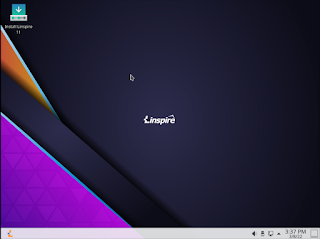
Linspire 11.5 Released


Today, the PC/OpenSystems LLC development team is pleased to announce the release of Linspire 11.5, a fully commercial supported release. With a great application lineup, Linspire remains the #1 desktop Linux distribution for home users. Linspire 11.5 also includes tools and resources to help users switching from legacy operating systems / other LInux distributions. 

 We have also introduced a new minimal install feature that allows just the web browser and essential system services to be installed for users who just want a PWA platform. Gamers are not forgotten; the Steam Launcher is included in the minimal install for users who want to turn their PC into a dedicated gaming console. 

Linspire 11.5 support comes with a 1 year subscription for both phone and e-mail. The self support option, even though focused on the self-sufficient power user, does come with installation support and priority bug submissions. Linspire is released with incremental upgrades and ISO refreshes every 6 to 8 months; new versions will be released every 12 to 16 months. 

 For security, reliability and long term viability, Linspire is attractive, flexible and well-supported. The distribution includes : 

KDE Plasma 5.18.8 - The fast and lean Linux desktop, fully functional and performance enhanced; peerless in terms of speed and user friendliness. 
Kernel 5.13.0-35 LTS - Long Term Support kernel designed to stand the test of time. 
Flatpak - Alternative package manager to SNAP, the current Ubuntu standard.  SNAP has now been disabled by default.  SNAP packages will not be able to be installed.
Microsoft Edge 99 - Web browser from Microsoft, built using the Open Source Chromium project,  engineered for privacy, web app integration and performance 
Kpat - Solitaire game 
Knights - Chess game 
Steam Launcher - Want to play all your steam games on Linux? We make that extremely simple with the Steam launcher. Being that it is included in the base install you don't have to worry about it removing your desktop environment. 
OnlyOffice - Office suite that can handle even the most complex documents and is compatible with Microsoft Office. 
DragonPlayer - Multimedia player 
 Juk - Music Player 
PowerShell 7.2 - Alternative shell thats a free/open source project from Microsoft 
BTRFS, XFS. JFS. EXT4 - available filesystems for installation 
Timeshift - Snapshot utility which allows you to set restore points in case of errors 
Audio recorder - Sound recorder. 
Balena Etcher - Utility for writing ISO’s to a USB stick 
Active Directory integration - Use active directory in your infrastructure? You can add Linspire clients to them 

This release also contains many functionality / security updates. You can purchase Linspire 11.5 below. If you need a high performance OS for your enterprise or education facility, Xandros OpenDesktop is designed and engineered for crucial deployments and you can find that here

Linspire Physical Media
Install Media
Order Notes
You can also purchase the digital download here

Linspire Download Edition


Tuesday, December 28, 2021

Linspire 11 Released


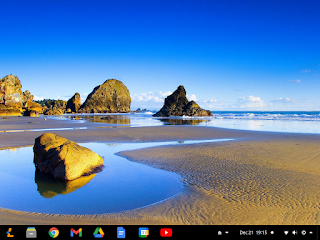
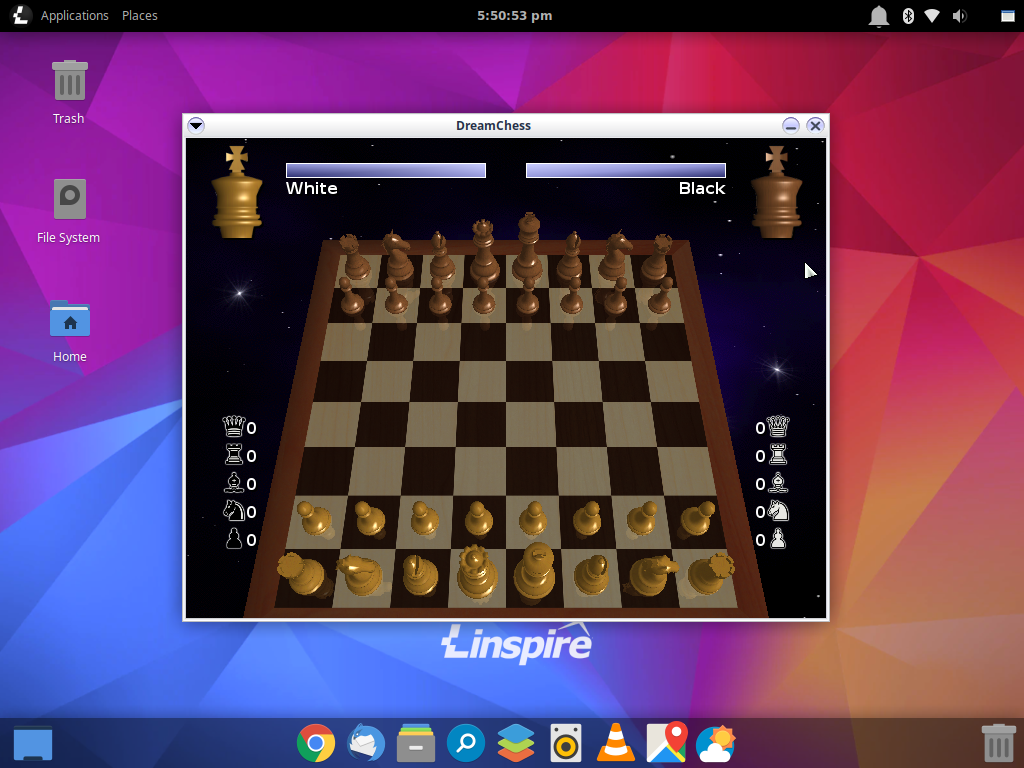
Today, the PC/OpenSystems LLC Development team releases Linspire 11, a major update to our flagship product. We continue to focus on our cloud first strategy by including all of Google's services that our users rely on - Gmail, Docs, Maps. However, traditional use cases have not been abandoned - Linspire 11 allows proper installation of any and all Linux based desktop applications without relying on a virtual machine / half-baked container setup. Linspire 11 features a modified version of GNOME 3 set up with a more traditional look that Windows users will find reassuringly familiar and have zero issues becoming accustomed to. A beautiful and intuitive desktop, top-notch performance, and uncompromising security - Linspire 11 is the only true replacement for ChromeOS and Windows 11 that you will need. At the end of the day, Linspire is the premiere desktop Linux system for both the average PC user who wants their computer to just work, and the performance-focused tweaker. 

The distribution includes : 

  • GNOME 3.36.8 Desktop 
  • Dash-2-Panel GNOME extension 
  • Kernel 5.11.0-43 
  • Google Chrome 96 
  • Ice SSB 
  • Kpatience 
  • Dreamchess 
  • Gmail 
  • Google Docs
  • Google Calendar 
  •  Google Keep 
  • YouTube 
  • Google Translate 
  • Google News 
  • Paramount + Streaming Services 
  • Pixlr X 
  • Rhythmbox 
  • Video Player (Totem) 
  • XFS/JFS/ZFS support 
  • Samba 4.10 

Linspire 11 includes several other security and feature updates. One difference we did make is we have dropped the inclusion of the .NET Core 6. But it is still available for download from the repositories. Below we have a short FAQ about Linspire 11. 

You can purchase Linspire below. 

Linspire Physical Media
Install Media
Order Notes

Linspire Download Edition
Desktop Environment


 FAQ 

What changes have been made to Linspire 11 vs its predecessor? 

 Linspire 11 is a hybrid system, allowing the user to run PWA (Progressive Web Apps) as well as traditional desktop applications available in the Software center. We have changed the focus of our system to concentrate on PWAs but to still remain flexible, so users can run the legacy apps they need / want in tandem with the newer cloud-based offerings. This release is GNOME only; going forward there will be no other desktop environments offered on Linspire. 

Are the web apps included just bookmarks to Google services? 

No, the PWAs included are full fledged desktop applications, integrated with system services so that features users are accustomed to like drag and drop work seamlessly. PWAs take full advantage of system hardware, but sandboxed, so that if one application misbehaves you can kill it without taking down the rest of your system, web apps, or browser sessions. Also, you can launch the individual applications without having to run separate browser sessions. 

What are some advantages of using PWAs vs traditional desktop applications? 

Google Docs and Microsoft Office are two of the most used office suites in schools, enterprises and at home. So people can use the applications they are familiar, independent of the operating system, and take their work with them : documents created in Google Docs are stored in Google Drive. So that document, spreadsheet or presentation is stored in the cloud if your system crashes; you can hop onto another system, log in, and these documents are ready for use. GNOME fully integrates Google Drive in with your system so it's mounted like any other removable storage device. 

What is the difference between Linspire and Chrome OS/CloudReady? 

Linspire is an Ubuntu Linux based distribution and contains many of the applications and familiar interfaces commonly found in Linux. It does, however, include all multimedia codecs / plugins by default and some hardware drivers not included in other distros. Chrome OS and CloudReady are not Linux distributions; they use the Linux kernel, and that’s where their similarity to a Linux distribution ends. Running full-fledged Linux applications on Chrome OS requires a container application called Crostini - essentially a minimal install of Debian 11 (currently in beta). While this works, it is basically like running your Linux apps in a virtual machine. Linspire is a fully native environment, not virtualized. Apps can be added through the Software center, or Flatpaks, Snaps and Appimages. Chrome OS runs on specialized hardware and can't run on common PC hardware; Linspire can and does run well on a variety of vendor PC platforms. CloudReady does support (some) PC hardware, but only runs Web applications. CloudReady does not support Android; Crostini is also not supported in CloudReady but can be used - the results are hit and miss. 

I don't like Google or Microsoft ANYTHING. I don't like Chrome or Edge. What are my choices in Linspire? 

 Linspire allows you to remove Chrome and install whatever browser you wish in its place; Firefox, Opera, Midori, Epiphany are all available in the repositories. You can also use the Menu Editor in Preferences and remove the Chrome Apps submenu; your system is then completely “de-googlized” and whatever apps you want or desire can be substituted in their place. With Chrome OS you are stuck with Chrome and Google's services. 

What information do you share with Google? 

 Absolutely NONE. The only time any information is exchanged with Google is when you decide to use their services. Google does not get any sales information from us and your information is not stored and is not sold by PC/OpenSystems LLC at ANY TIME. 

 I hate GNOME. What can I use besides GNOME? 

 Same as a preferred browser, XFCE, Budgie, Plasma or any other desktop environment can be downloaded and installed from the repositories; knock yourself out. 

 I don't “buy” Linux at any time and don't wish to support Linspire. What are my options? 

 You are not buying Linux you are purchasing support.  If you do not need support you can download and install Freespire. Freespire is free to use, download and redistribute. 

 Will you guys ever do IoT? 

 Right now we do support Intel's IoT offerings. We want to support the Pi and other ARM based IoT devices. 

I am a professional YouTuber or reporter and I want to review Linspire. Can I get a free copy? 

You can contact our press contact at press@pc-opensystems.com or support@pc-opensystems.com and we will handle that on a case by case basis. We love Youtubers and we like the press, good or bad.

Tuesday, August 11, 2020

Linspire 9.0 Released

Today our development team is excited to announce the release of Linspire 9.0; packed with a TON of improvements and security updates, this is a major update that we’ve been working hard to get out to our faithful users. The global pandemic has delayed its release, but the development team has worked diligently and meticulously behind-the-scenes over the past few months, fine-tuning every detail of what is widely considered to be the premier Linux desktop on the market today. 

The Linspire 9.0 series will be the last one featuring the 18.04 LTS codebase; upcoming Linspire X will be based on the 20.04 LTS code and kernel. 

 Features included in Linspire 9.0 : 

 Customized XFCE 4.14 desktop 
Kernel 5.4.0 
Google Chrome 84 
Ice SSB 
Thunderbird e-mail with lightning extension 68.8 
OnlyOffice Desktop editors 
Kpatience 
DreamChess 
VLC 
All multimedia codecs for full media playback 
Microsoft Powershell 
KolourPaint 
Redshift 
GTK XFS, JFS, BTRFS support and can be used as installable file systems 

 Linspire Workstation 2019 R2, Linspire CE and Linspire CE Office 365 have all also received the current updates. Shown above are only a small subset of the changes we’ve made; overall there have been 400+ updates applied to the core system. One of the biggest changes is the removal of SNAPD and snaps from our distribution going forward. Due to privacy concerns, Flatpak has been chosen as a secure replacement for SNAP. 


Purchase Linspire 9.0 here either as a digital download or a boxed set.

Linspire Support License
Install Media
Order Notes


Linspire Download Edition


Sunday, March 15, 2020

Tax Season with Linspire and TurboTax


Tax season is upon us folks and with Linspire, you can now get your taxes completed effectively and efficiently.  This year like with the last 4 years we are pleased that we will be continuing to partner with Intuit and have tested Linspire with their online portal.  No more swapping computers, no more having to guess whether you can complete your taxes hassle-free and without any questions of support with Linspire 8.x.  PC/OpenSystems LLC has worked with Intuit and with H&R Block longer than ANY Linux distributor to ensure that Americans everywhere can safely and securely complete the process of filing your taxes on time.

Our Lead System designer and developer Roberto Dohnert had this to say, " With the retirement of Windows 7 and many tax experts questioning the safety and security of using older Windows systems to complete this delicate yet important task; Linspire with its rock-solid performance and up2date software stack ensures that peace of mind that you can transmit your data without fear of having your personal information or identity being compromised or stolen.  We are extremely proud of working with Intuit for the last 5 years to ensure our Linux based OS can stand up to the task."

If you are still running Windows 7 on your PC and would like to upgrade you can purchase Linspire here.

If your order the box set over the Digital Download in order notes type "TaxPrep" to ensure 48-hour shipping


Linspire Download Edition


Linspire Support License
Install Media
Order Notes


Tuesday, March 3, 2020

Linspire 8.7 Release


Today the PC/Opensystems Enterprise development team is pleased to announce the release of Linspire 8.7. This is a comprehensive release update to Linspire 8.5, utilizing the Mate desktop to offer a more traditional desktop experience for Windows 7 and Windows 10 users. Spartan but very fulll-featured, MATE offers a path forward for Windows 7 users whose systems may be unable to run Windows 10 effectively / efficiently. For current Linspire users this release offers full security, kernel and graphics drivers updates; for users of our KDE desktop simply update your systems using your preferred method.

Features : Full GUI System – MATE 1.20.1
LTS Server Kernel 5.3.0-40
Rhythmbox
VLC
OnlyOffice
Aisleriot Solitaire
Google Chrome
Software Center for easy application installation
Skype
Ice SSB
Chrome web application framework
Full multimedia playback
Remote Administration capability
Samba
Microsoft Powershell

When you purchase Linspire 8.7 you get 12 months of free upgrades, e-mail, and phone support. The download edition or boxed sets can be purchased here

DIGITAL DOWNLOAD


Linspire Download Edition


BOXED SETS


Linspire Support License
Install Media
Order Notes

Wednesday, January 15, 2020

Windows 7 End Of Life special

As everyone knows Windows 7 has reached its End Of Life.  This leaves millions of Windows 7 systems vulnerable to malware, security exploits and bugs that will go unpatched and unfixed.  Everyone is scrambling to find a solution.  The common thread is to either upgrade to Windows 10 or find an alternative to run on older hardware that may not be Windows 10 compatible.

Enter the 'Windows 7 Refugee Program'.  This program is run by PC/OpenSystems LLC and the Linspire team where we are offering Windows 7 users who may be left out in the cold an alternative for those Windows 7 PC's.  Linspire 8.5.

Linspire 8.5 is an ideal solution for those Windows 7 users who may not be able to upgrade to Windows 10.

Linspire 8.5 offers the following features:

Familiar user interface
Easy setup and installation
KDE Plasma 5
Google Chrome 79
Ice SSB - Which allows you to turn any web app into a fully functional desktop application
Amarok Music Player
VLC Media Player
OnlyOffice desktop suite - Fully featured office suite which resembles Microsoft Office and saves files in the Microsoft Office file format.
Full multimedia Codecs - Linspire offers playback from Blu-Ray, DVD, Windows Media, Apple Quicktime and more.
Built in Anti-Virus and Firewall controls

From Today until Feb 1st we are offering Linspire 8.5 at a discounted rate.  The download Edition will be $19.99 USD.  The boxed set with a ready to use and install Live USB drive will be $30.99.  Gets yours today.


Windows 7 Refugee Program Boxed Set


Windows 7 Refugee Program Digital Download

Tuesday, January 14, 2020

Linspire Enterprise Server 2019 R2 Released

Today the PC/Opensystems Enterprise development team is pleased to announce the release of Linspire Enterprise Server 2019 R2, our high-performance solution to SMB customers who require constant uptime coupled with reliability, scalability, and flexibility. Since the last release of LES 2019, PC/OpenSystems LLC has been hard at work to ensure LES 2019 R2 is well suited for web, application, file and print services; it can just as easily be deployed as a thin client server or virtual machine host. The LTS server kernel 5.0.0-37 will offer rock-solid performance for any workload you throw at LES 2019 R2.

Features : Full GUI System – XFCE + DWN Tiling Window Manager
LTS Server Kernel 5.0.0-37
Oracle Java 11 Pre-installed
OpenSSH Server and Client
Chrome web application framework
NFS / XFS / JFS / BTRFS / exFAT support
Multimedia support
VirtualBox preinstalled
Remote Administration capability
Biometric Services
Headless support
MongoDB Preinstalled
Samba
LDAP Directory services
Microsoft Powershell
Visual Studio Code
Microsoft SQL integration

Certified/tested hardware : HPE Proliant DL360 / DL380 / DL385 G10
HPE Microserver G10
HPE SGI 8600
Lenovo ThinkSystem SR590 / SR670 / ST550
Lenovo ThinkServer RS160 / TS150
Dell PowerEdge Rack / Tower Servers
IBM Z13/Z14/Z15 and IBM LinuxONE via emulation

24 months Phone, e-mail, and remote support; on-site repair and deployment services available for an additional charge. Contact sales@pc-opensystems.com for details. Mobile System support is very limited; Linspire Enterprise Server was not designed with laptops, notebooks or tablets in mind - your mileage may vary; features such as Bluetooth, wireless and suspend / resume are unsupported. Pricing : Download Edition: $119.99 USD  Boxed Set: $299.99 USD - single license / $2999.99 USD unlimited site licensing


Linspire HPC Support License
Install Media
Order Notes

Linspire Workstation 2019 R2 released


Today the PC/Opensystems Enterprise development team is pleased to announce the release of Linspire Workstation 2019 R2. This update to Linspire Embedded Desktop offers unprecedented reliability, predictability, and performance. It also offers more of a traditional workstation environment.  Productivity suite and groupware suite as well as a CAD environment and Diagram creation utility.  Utilizing the lean MATE desktop environment, Linspire Workstation allows you to maximize the value of your current hardware investments, allowing you to decide what applications you want to run and what role you want your system to provide: multimedia production, productivity, development station, mainframe support or appliance control. Linspire Workstation 2019 R2 provides rock-solid performance and dependability, desktop PC or mobile.

Features : Full GUI System – MATE + DWN Tiling Window Manager
LTS Server Kernel 5.0.0-37
OpenSSH Client
Google Chrome
Ice SSB
QCad
OnlyOffice
Dia
Chrome web application framework NFS / XFS / JFS / BTRFS /exFAT support
Multimedia Codecs
Remote Administration capability
Biometric Services
Samba
LDAP Directory services
Microsoft Powershell
Microsoft SQL integration
Visual Studios Code

24 months Phone, e-mail, and remote support; on-site repair and deployment services available for an additional charge. Contact sales@pc-opensystems.com for details.

Linspire Workstation 2019 offers unprecedented value and capabilities to your organization.  Whether deployed on a traditional knowledge worker desktop or on a high-performance developer desktop.  Linspire Workstation 2019 R2 is the premiere open-source desktop solution that can handle all of your business needs.


 Pricing :Download Edition: $59.99 USD Boxed version $119.99 USD - single license / $2999.99 USD unlimited site licensing


Linspire Workstation Support License
Install Media
Order Notes


Saturday, June 15, 2019

Linspire 8.0 Maintenance Release 1 RELEASED

Today our development team is pleased to announce the release of Linspire 8.0 Maintenance Release 1. MR1 is part of our bi-annual strategy to make sure Linspire is kept as secure as possible for our customers and users. Proving once again, beyond a shadow of a doubt, that Linspire is the best commercially supported Linux-based operating system on the market today. With all of the features modern PC users expect from their computing experience, Linspire continues to rise above and shine over all other commercial Linux desktop solutions.

This release also features improvements to Linspire CE and Linspire CE Office 365. Linspire 8.0 MR1 integrates the following upgrades / improvements :

Linux Kernel 4.18.0-18
KDE Plasma 5.12.7
Plays On Linux 4.3.4
Wine 4.0 Stable
LibreOffice 6.4.2
Google Chrome 75
Thunderbird 60.7
VLC Media Player
Amarok Full multimedia codecs
Ice SSB

Many more performance and security enhancements under-the-hood will improve your experience, making it smoother and typically hassle-free. You can purchase Linspire 8.0 MR1 below; purchasing Linspire 8.0 MR1 entitles you to free upgrades for the lifetime of the release and 12 months of e-mail support / 6 months of phone support or you can purchase the self-support release and download it from the digital locker today.


Linspire Support License
Install Media
Order Notes


Linspire Download Edition

Monday, May 6, 2019

Linspire 8. MR1 Presale

As everyone knows June 15, 2019, we are launching Linspire 8.0 MR1 which will be the newest release of Linspire for the market.  With that said we are having a presale which means those who purchase it will get the ISO or USB key will have it shipped 1 week before the public release.  We are also offering from today until June 9, 2019,

Sunday, April 14, 2019

Linspire Enterprise Server 2019 Released

Today the PC / Opensystems development team is pleased to announce the release of Linspire Enterprise server, our high-performance solution to SMB customers who need constant uptime coupled with reliability, scalability, and flexibility. LES 2019 is well suited to web, application, file and print services; it can just as easily be deployed as a thin client server or virtual machine host. The LTS server kernel 4.18 will offer rock-solid for any workload you throw at LES 2019. Linspire Enterprise Server is part of our Linspire Enterprise Services offering which includes Linspire Embedded Desktop and Linspire Community Server.

Features :

Full GUI System – XFCE + DWN Tiling Window Manager
LTS Server Kernel 4.18
Oracle Java 11 Pre-installed
OpenSSH Server and Client
Chrome web application framework
NFS / XFS / JFS / BTRFS / ZFS - exFAT support
Multimedia
 Remote Administration capability
Biometric Services
Headless
MongoDB Preinstalled
Samba
LDAP Directory services
Microsoft Powershell - Only Enterprise Linux solution to ship PowerShell
Microsoft SQL integration

Certified/tested hardware :

HPE Proliant DL360 / DL380 / DL385 G10
HPE Microserver G10
HPE SGI 8600
Lenovo ThinkSystem SR590 / SR670 / ST550
Lenovo ThinkServer RS160 / TS150
Dell PowerEdge Rack / Tower Servers

For more information about Linspire Enterprise Server please visit the dedicated page and view the datasheet

Linspire Enterprise Server Page

Linspire Enterprise Server Data Sheet (PDF)

 24 months Phone, e-mail, and remote support; on-site repair and deployment services available at additional cost. Contact sales@pc-opensystems.com for details.

Mobile System support is very limited; Linspire Enterprise Server was not designed with laptops, notebooks or tablets in mind - your mileage may vary; features such as Bluetooth, wireless and suspend / resume are unsupported.

PC/OpenSystems also offers Linspire Community Server as a free download with a self-support option. Users who wish to upgrade from Linspire Community Server to Linspire Enterprise Server can do so very easily with minimal interference to their workflow

http://distro.ibiblio.org/blacklab/free/lin-comm-server-2019.iso
http://distro.ibiblio.org/blacklab/free/lin-comm-server-2019.iso.md5
http://distro.ibiblio.org/blacklab/free/lin-comm-server-2019.iso.sha256

Pricing : $199.99 USD - single license / $2999.99 USD unlimited site licensing


Linspire HPC Support License
Install Media
Order Notes

Thursday, February 14, 2019

Linspire CE 8.0 Office 365 Released

Today the Linspire team is pleased to announce the release of Cloud Edition 8.0 Office 365. This is an update to our CE Office - by far one of our most popular business releases for 2018. We have worked diligently to thoroughly integrate Microsoft’s web services into this product. Who was this designed for? For our business and education users who rely on Microsoft’s web services in their offices and classrooms.  CE Office 365 offers the standard Microsoft Office online platform married to the stability and security of the Linux desktop.

The systems include:

Google Chrome
KDE Plasma
VLC Player
Powershell
Full DVD Playback
Office 365 Online launcher
Skype

We have worked with many state and educational facilities to verify/certify that Linspire CE does indeed work with their Online and localized web apps; it is fully supported.

The cost of Linspire CE 8.0 Office 365 is as follows:

Single user license: $49.99 USD / user
Corporate unlimited user license: $1,500.99 USD

Educational, military and law enforcement discounts are available for the unlimited license. Contact sales@pc-opensystems.com for details.


Linspire CE Office 365
Install Media
Order Notes


Let’s go over some frequently asked questions regarding this distribution.

What is Linspire CE, exactly? 
Linspire CE is a specialized variant developed for the execution of cloud-based applications. It has a smaller disk/memory footprint, making it ideal for lower-end systems, i.e. laptops and Chromebooks. This allows organizations to repurpose older systems into their organizations, extending their hardware refresh cycle.

Can I run standard Linux desktop applications on my system? 
Yes. All standard Linux desktop apps run on this system: Gimp, LibreOffice, Inkscape, Spotify, Dia, Krita, Kdenlive, Audacity etc.

Can I still use Google’s web apps if I choose to?
Yes, all of Google’s online apps are available to mix/match with locally installed applications, if you so desire.

I have specialized QT and GTK based apps that I use in my – will they run on Linspire CE?
Yes. We support all QT / GTK based apps. If you have a legacy program, we will help you migrate it to Linspire CE

Does the Linspire SDK work on Linspire CE? 
Yes.

If I use Linspire CE can I change to Linspire CE Office 365 free of charge?
Yes.

Can I dual boot Linspire CE with Windows 10? 
You can, but we don’t support dual boot with Linspire CE out of the box. That’s a deployment that undertaken at your own risk. Caveat emptor.

Can I dual boot Linspire CE with Chrome OS? 
Unknown; untried. Linspire CE and Android-x86_64 is a known, supported and thoroughly tested configuration.

What are the system requirements for Linspire CE? 
As follows: 64 bit processor, 2 GB RAM (4 + GB recommended), 20 GB HDD space. Touch or mouse/keyboard input.

How can I get Linspire CE Office 365? 
When you order Linspire CE Office 365 we deliver that to you on physical media - it is not available as a download option.

What are the support options for Linspire CE Office 365? 
Linspire CE and Linspire CE Office 365 follow the support options usually available for Linspire Server - 2 years of phone, e-mail, remote support for a bi-yearly rate as well as on-site service for an additional fee.

What desktops are available with Linspire CE? 
KDE Plasma 5

Can I order systems with Linspire CE preloaded? 
Yes. We have two systems available, the InspireBook laptop and an AIO desktop system, the InspireStation.

What applications are available with Linspire CE 8.0 Office 365? 
Google Chrome
KDE Plasma
VLC Player
Powershell
Full DVD Playback
Office 365 Online launcher
Skype
Bing Search integration

Wednesday, January 2, 2019

Linspire 8.0 Released


New year, New Linspire. Today our development team is pleased to bring you Linspire 8.0 - the latest and greatest Linux desktop distribution from PC/OpenSystems LLC showcasing the latest open source technologies to our users. We have toiled diligently over the past year to improve security, stability and functionality in our alternative to Windows 10, ChromeOS and macOS. Linspire 8 offers the choice of a full desktop environment, KDE and Mate are available, bundling productivity, full multimedia playback, audio and video production, games and productivity.

 We have listened to our customer base and preinstalled many applications our users utilize in their daily lives. With Linspire 8.0 there is very little package installation users will have to do after installation. The Minimal install is an ISO that installs a subset containing only a web browser, ideal for users who wish to create and deploy their own desktop systems and customize their application line-up. Linspire CE, Cloud Edition, targets customers who wish to completely embrace a cloud only or hybrid infrastructure - cloud based apps in tandem with locally installed applications. Linspire CE’s flexibility makes it the best-in-breed cloud operating system on the market today.

Linspire 8.0 is a continuation of the first commercial Linux desktop distribution that set the bar for open source desktop computing; it continues to set the bar today.

Linspire 8.0 contains the following features and enhancements

KDE 5.12.7
Mate 1.20.1
18.04.1 LTS Base
Google Chrome
Thunderbird e-mail and PIM suite
LibreOffice 6.1.3
VLC Video Player
Rhythmbox Audio Player
Skype KPatience
KDE Runtime
DreamChess
Microsoft Powershell
Dia
Inkscape
Gimp
Audacity
Openshot
Ice SSB
.NET Core Runtime
Oracle Java 10

 Full list of applications can be found here 

Linspire CE 8.0 has the following features :

Google Chrome
Ice SSB
Kpatience
DreamChess
VLC
Geary mail client
Skype

Full list of applications can be found here 

 You can purchase Linspire 8.0 and Linspire CE 8.0 from our webstore or below. Purchasing the product entitles you to 12 months of updates in addition to 6 months of phone and e-mail support. Purchasing Linspire 8.0 gets you both the full desktop and minimal install ISO.


Linspire Support License
Install Media
Order Notes


Linspire Download Edition

 For commercial use of Linspire and deployment in your business contact

sales@pc-opensystems.com

Wednesday, May 30, 2018

Introducing Linspire CE Office365


Today we are pleased to announce a new release for our Education and business customers.  Linspire 7.0 SP1 CE Office365.  Linspire CE Office365 is our release of Linspire CE (cloud edition) dedicated to Microsoft's online platform..  Linspire CE Office365 is available today from our webstore.

We are providing this release for education facilities and companies that have standardized on the Microsoft Office platform and who need a robust alternative operating system platform for collaboration with existing infrastructure and migration to the web and cloud storage hosting.

Linspire CE Office365 includes the following features from Linspire:

kernel 4.13.0-43
KDE Plasma Desktop environment
Google Chrome
The VLC media player
IceSSB
Biometric support

The following Microsoft app shortcuts are provided out of box:

Bing
OneDrive
Office365 console
Microsoft Word
Microsoft Excel
Microsoft PowerPoint
Microsoft OneNote
Skype Web
Microsoft Outlook

You can purchase this release from our online store 

More information is available from our live product launch which was recorded


If you have any questions contact:

sales@pc-opensystems.com
support@pc-opensystems.com

Sunday, April 8, 2018

Linspire 7.0 Service Pack 1 released


Today we are delivering Linspire 7 SP1 for general release.  With this release we have several fixes and changes that we have made to Linspire.   With this release we have resolved many of the issues that users had with our first release.  Linspire 7 is the only desktop distribution that is supported for 10 years on the desktop.  Linspire is deployed by many companies, government agencies and education facilities for their productivity, design and development workstations.

Resolved Issues

With this release we have resolved the following issues

Installer rebranded for Linspire
All Xubuntu and Kubuntu documentation removed
All Xubuntu and Kubuntu branding removed
iMac wireless and iSight camera drivers now included
Google Pixelbook support
Linspire Server Core 7.0 now supports many HPE, Dell and Lenovo server systems.

Features and Updates

Kernel 4.13.0-38
KDE 5.8.9
XFCE 4.12
LibreOffice 6.0.3
Google Chrome 65
Thunderbird 52.7
Ice SSB 5.2.7
VLC 2.2.8 (3.0 will be coming in our next update)
Skype 8.18.0.6
OpenBoard white board application
All Security updates until April 5, 2018

Availability

Linspire 7.0 SP1 is available today with KDE as our default desktop and XFCE for lower end and older systems.  To acquire XFCE place it in your order notes.

Linspire 7.0 is the most affordable desktop Linux distribution on the market,

Boxed set - $79.99 USD
Digital download - $29.99 USD

Linspire is also available preloaded on hardware.  Linspire comes with 12 months of phone and e-mail support and commercial support also includes remote service and on-site service.

All current subscribers and customers have received a download for the new ISO.

Purchase

You can purchase Linspire from our webstore.

http://www.linspirelinux.com/p/webstore.html


If you have any questions, comments or suggestions contact support@pc-opensystems.com or join our forums.


Saturday, March 31, 2018

Microsoft Office Ribbon in LibreOffice

Many of our Black Lab and Linspire customers have asked us; Can you implement the Microsoft Office ribbon in LibreOffice? Well we did our research and LibreOffice 5.3 and 6.x have a "ribbon" type interface called the Notebook Bar.

 Here is how you enable it

To enable the Notebook Bar do this:

 Click on the menu Tools > Options Select ‘LibreOffice’ > ‘Advanced’ Check ‘Enable Experimental Features’ Press ‘OK’ Atfer clicking okay you’ll be prompted to restart LibreOffice (yep the app, not your PC) so that the changes you requested can take effect.

 Click ‘Restart Now’.

Once the suite pops back up you’ll instantly notice that things look no different to how they did before.

 Head to the new View > Toolbar Layout menu. libreoffice view toolbar layout menu You’ll see a set of 4 toolbar layouts in LibreOffice 5.3: Default (Classic Toolbar) Notebookbar Single Toolbar Single Toolbar + Sidebar.  Choose Notebook Bar.

That is how you enable the "ribbon" interface in LibreOffice.  This has been tested on Linspire, Black Lab, Linux Mint, Ubuntu and OpenIndiana.  We have NOT tested on Windows or macOS


Changes to delivery

 The number of scams against Linspire have grown to be a problem.  People have been purchasing the digital downloads getting the digital dow...